

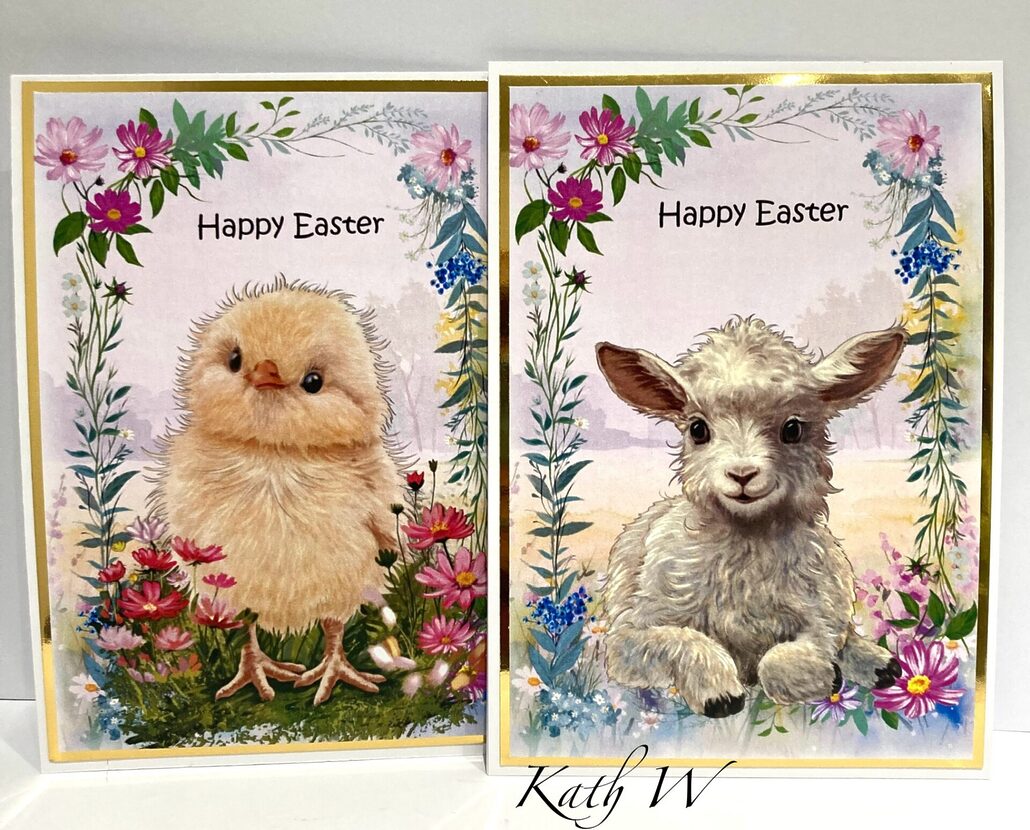

2 Quick & Easy A5 Tent Fold Easter Cards using MyCraftStudio Easter Parade by Kath W
You will need:
- MyCraftStudio Easter Parade Download – Scene 004, Frame 047, Chick image 004 & Lamb image 020 (both from the scene building option)
- A4 White Card
- A4 Gold card
- Craft Master 250GSM Pure Print
- Guillotine
- Scissors
- Glue / Double-sided tape
Step 1 Cut a piece of A4 white card stock in half, score at the top 1” down on one of the pieces. Add glue or double-sided tape to the scored area, line both cards together, remove the tape and stick, this is now an A5 tent fold card. (Make 2)
-

- Step 2 Create the front of the card in MCS by starting with the scene (004)

-
- Step 3 Resize the frame 047 place on-top of the scene.

-
- Step 4 Enlarge the chick 004, place over the frame towards the bottom, use the drop shadow in effects to give the chick some dimension. Add ‘Happy Easter’ using the text option, and place above the chicks head.

-
- Step 5 Group the images together, resize to fit one side of the page (A5) copy, paste, and move one page over so there are 2. Ungroup one of them, remove the chick and bring the lamb image onto the page, then group together again. Print onto Craft Master Pure Print paper.

-
- Step 6 Cut gold mirror card to fit on the card base, cut the chick image in half trim to fit on-top of the gold, then glue in place.

-
- Use the other image to make another Easter card in the same way!


It is so easy to make all your Easter cards this way in a fraction of time, just swap the characters!
Happy crafting from Kath W 😊


Leave a Reply
Want to join the discussion?Feel free to contribute!